

Getting started
Open an image, make a first edit and save an editable project.
Reviewed against the application source on 5 October 2026. Focale is in active development; available commands and published packages may differ by build.
Your first document
- Install the package for your operating system and processor from the website’s download section.
- On the Home screen, open an image or create a document. New Document lets you choose dimensions, resolution, colour mode, bit depth and background.
- Save a working copy with File → Save As. Use .focale to retain layers and editable content.
- Select a layer, choose a tool and make an edit. Undo and Redo let you try another result.
- Use File → Export when you need an image to share. Keep the .focale project for further editing.
Find your way around
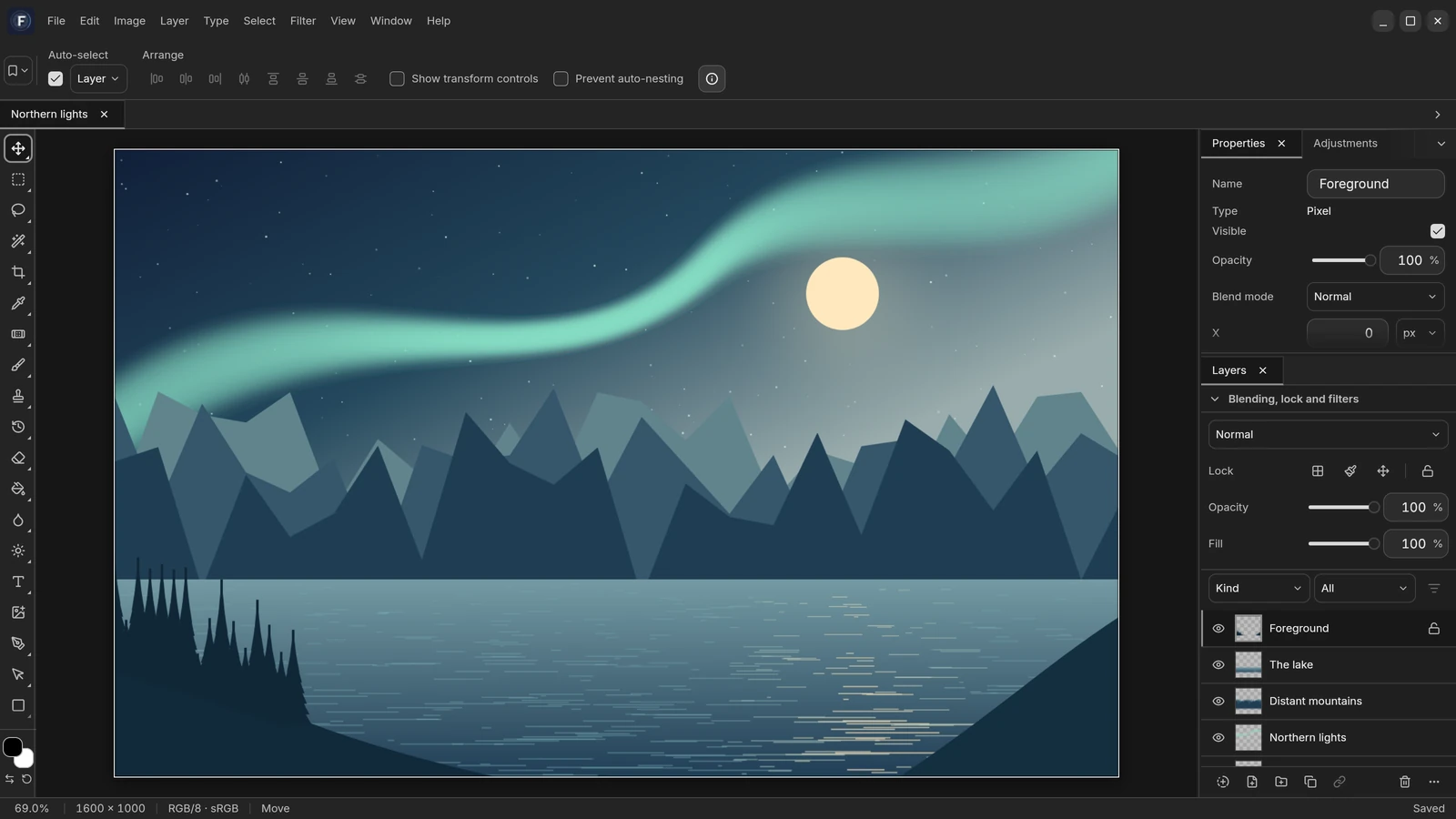
The tool rail is on the left, tool options are above the canvas, and panels such as Layers and History are on the right. The active document appears in its own tab.
Right-click a tool group to choose a related tool. The Layers panel controls the editing target; select its image thumbnail to edit pixels or its mask thumbnail to edit coverage.
Save and export
Saving a .focale project preserves the document structure. Export produces a separate image or an interchange document in the chosen format; it does not replace your editable project.
Imported image and RAW files are not modified by editing. A linked smart object can still depend on an external source: keep that source available or embed it before sharing the project.
Protect your work
Enable recovery snapshots in Preferences → Autosave. They live in application storage and do not overwrite your project file.
After an interrupted session, recover the proposed documents and save them explicitly. A recovered document opens unsaved so you can choose its destination.